
Developers
Bots for Makechat, with a simple API.
The Make Bot API uses plain HTTP requests. Create a bot with @makebot, keep its token, and call methods such as sendMessage or setWebhook. The full reference is in Indonesian.
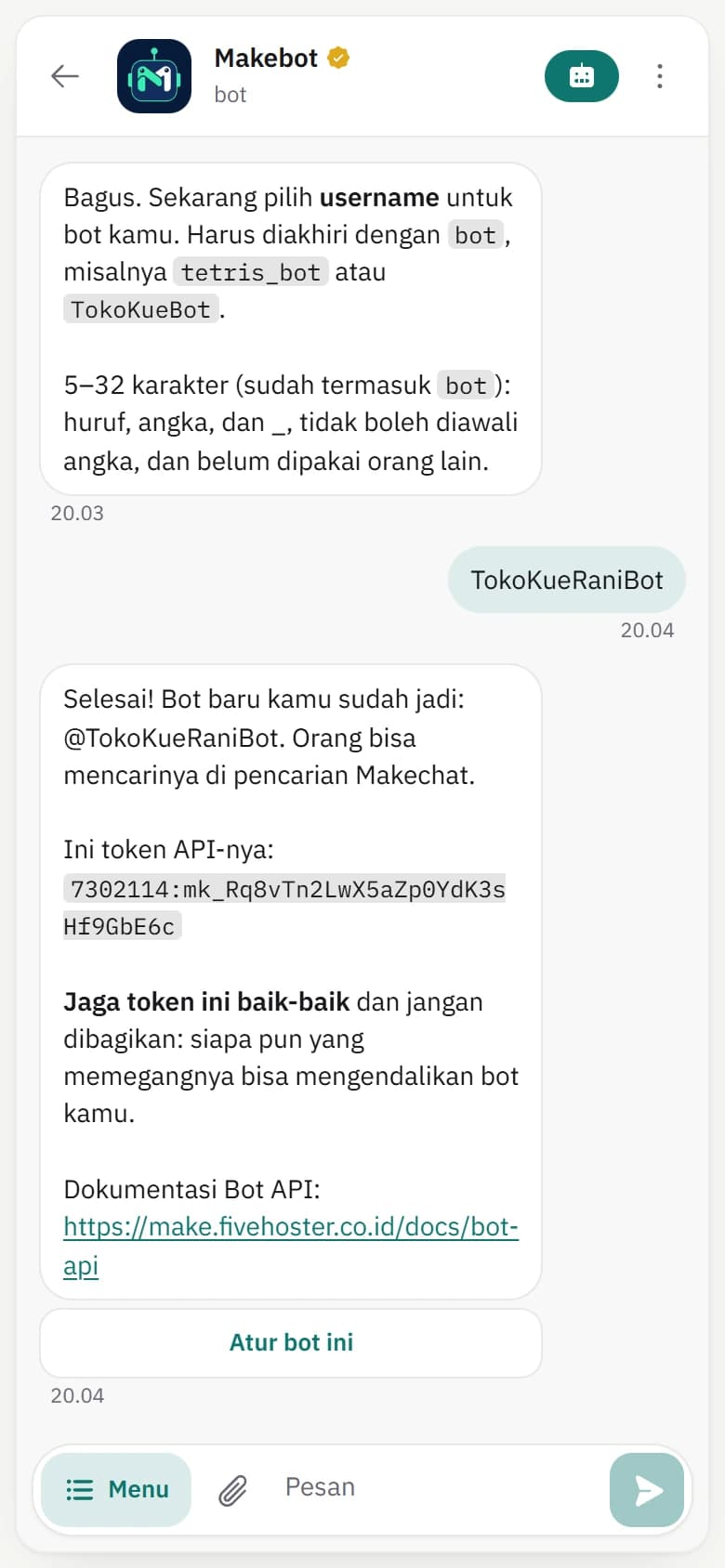
Create a bot with @makebot.
Send /newbot to @makebot in Makechat, choose a name and username, and receive a token. /mybots, /token, and /setcommands help you manage it. Each account can create up to 10 bots.
Receive messages with getUpdates or a webhook.
Poll for updates with getUpdates, or register an HTTPS URL with setWebhook so updates are delivered to your server. Updates are kept for 24 hours.
- 25 methods, including sendMessage, sendPhoto, sendDocument, and answerInlineQuery
- Reply and inline keyboards
- Bots in groups, channels, and inline mode
Limits to keep in mind.
Up to 30 requests per second per bot and about 1 message per second per chat. Message text up to 4,096 characters, captions up to 1,024, and bot files up to 10 MB.
Bot chats are not end-to-end encrypted.
A bot reads the messages sent to it, so bot chats don't use end-to-end encryption. Tell your bot's users, and never ask for passwords or one-time codes through a bot.
Need more help?

Start on your phone or in your browser.
Download Make for Android, or create an account on the web. Makechat web connects to the account on your phone with a QR code.
Available on Android and the web. The iOS version is not on the App Store yet.